ai-tools
Image to Prompt for ChatGPT: Build Repeatable Workflows
Learn how to use image to prompt for ChatGPT: extract prompts from images, improve vision results, and build reusable AI workflows that save hours.

Most people use ChatGPT's vision capability the slow way: they upload an image, type “describe this,” get a paragraph back, and start over from scratch on the next image. It works, but it doesn't scale. If you process images all day — product shots, design references, campaign visuals, competitor creative — that one-off approach quietly burns hours and produces inconsistent results.
Image to prompt for ChatGPT is the fix. Instead of ad-hoc requests, you build a repeatable system: extract structured prompts from images, feed them into ChatGPT with a consistent instruction pattern, and reuse the outputs across your work. This guide shows you how to design that workflow from the ground up — the vocabulary ChatGPT's vision actually responds to, the templates that make results reproducible, and the decision logic for when to automate versus prompt by hand. It's written for people who do this at volume and want a system, not a party trick.
Quick answer
Image to prompt for ChatGPT is the practice of converting an image into a structured, reusable text prompt — either by directing ChatGPT's own vision model or by using a dedicated image-to-prompt tool first — so you can analyze, describe, or recreate visuals consistently and at scale. The core benefit is repeatability: a standardized prompt structure produces comparable results across many images instead of a different answer every time.
Table of Contents
- What is image to prompt for ChatGPT?
- How ChatGPT understands images
- Why manual prompt writing fails at scale
- The professional workflow
- Real workflow examples
- Use cases by team
- Prompt templates (copy-paste)
- The REFINE framework for better prompts
- Professional techniques for better ChatGPT prompts
- Mistakes that reduce prompt quality
- FAQ
- Key takeaways
What Is Image to Prompt for ChatGPT?
Image to prompt for ChatGPT refers to any workflow that turns a visual input into a structured text prompt you can use inside ChatGPT. There are two ways to do it, and understanding the distinction is the foundation of everything else:
Direct extraction. You upload the image to ChatGPT itself and instruct its vision model to describe it in a specific, structured format. ChatGPT does the analysis and the formatting in one step.
Tool-assisted extraction. You first run the image through a dedicated image-to-prompt tool — such as the Avriro Image to Prompt tool — which returns a clean structured prompt. You then bring that prompt into ChatGPT for refinement, expansion, or downstream tasks.
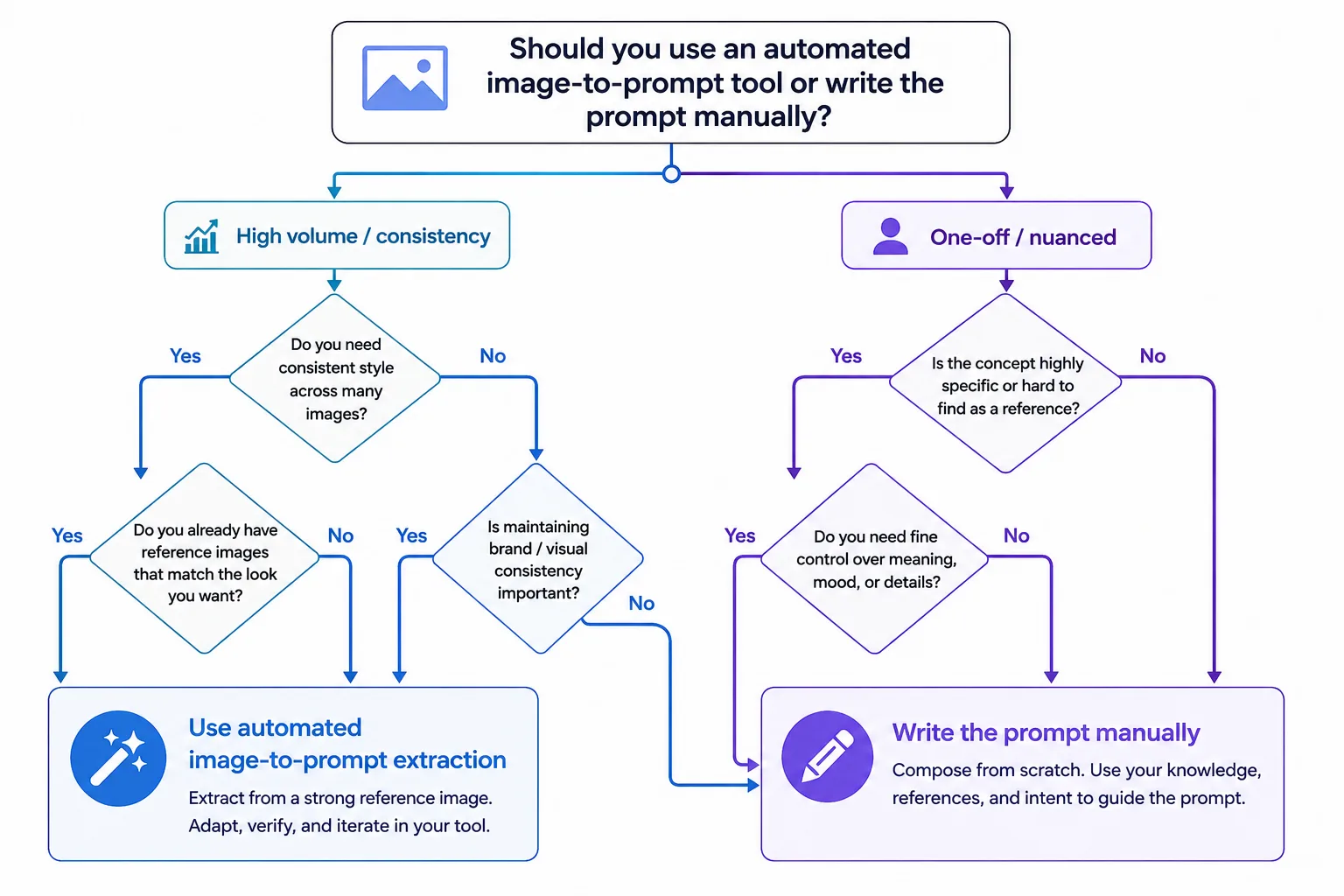
Neither is universally better; they suit different situations, which we map out in the decision tree later. What both share is the goal: replacing vague, one-off requests with a structured, reusable artifact. That artifact is the unit of a scalable workflow.
| Direct (ChatGPT vision) | Tool-assisted | |
|---|---|---|
| Speed per image | Slower (you prompt each time) | Faster (one-click extraction) |
| Consistency | Depends on your instruction | High, standardized output |
| Control | Total — you direct the format | Preset, then refine in ChatGPT |
| Best for | Nuanced, one-off analysis | High volume, repeatable jobs |
How ChatGPT Understands Images
To build a good workflow, you need a working mental model of what's happening when ChatGPT “sees” an image. Its vision capability is powered by a multimodal model that processes visual and textual information together, as described in OpenAI's documentation. In practical terms, three things follow from how it works:
It reads globally, not just object-by-object. ChatGPT doesn't merely list objects; it interprets relationships, style, mood, and context. This is why it's strong at describing why an image feels a certain way — and why your instructions should ask for interpretation, not just inventory.
It follows your framing. The same image produces wildly different outputs depending on how you ask. “List the objects” and “describe the lighting and composition as a photography brief” yield different analyses of the identical picture. Your instruction is a lens.
It can and will fill gaps. Like all vision-language models, ChatGPT sometimes infers details that aren't strictly present — a plausible material, an assumed setting. This is useful for creative expansion but a liability for accurate description, which is why verification is a permanent step in any serious workflow.
The strategic implication: ChatGPT's vision is only as good as the structure you give it. A vague ask produces a vague, unrepeatable answer. A structured instruction produces a structured, reusable one. That structure is what the rest of this guide builds.
Why Manual Prompt Writing Fails at Scale
Writing each prompt by hand works fine for one image. It breaks down predictably once volume enters the picture. Here's why:
- Inconsistency. Ten manually written prompts produce ten different output formats, making the results impossible to compare or batch-process downstream.
- Cognitive load. Authoring a detailed, expert instruction from scratch every time is genuinely tiring, and quality degrades as fatigue sets in across a long session.
- Lost vocabulary. The right descriptive terms — lighting direction, camera angle, material, composition — are hard to recall on demand, so manual prompts tend to omit exactly the details that matter most.
- No reusability. A one-off prompt typed into a chat window and forgotten can't be reused, versioned, or shared with a team.
- Time cost. At scale, the minutes per image compound. Processing 100 images by hand is a different order of problem than processing one.
The pattern is the same one that shows up across AI work: the bottleneck isn't the model, it's the human's ability to consistently supply good structure. Systematizing that structure — through templates and extraction tools — is what turns a capable model into a productive workflow. If you're new to the extraction step itself, our free Image to Prompt tool is the fastest way to see it in action.
The Professional Workflow
Here is the repeatable system. It has five stages, and its whole purpose is to convert a visual into a standardized, reusable artifact rather than a disposable answer.
Stage 1 — Standardize your input. Decide the format you want before touching an image. Natural-language brief? Structured JSON? Tag list? A consistent target format is what makes outputs comparable.
Stage 2 — Extract. Convert the image to a base prompt. For high volume, a dedicated tool produces a clean, consistent draft in one click. For nuanced one-offs, prompt ChatGPT's vision directly with your standard instruction.
Stage 3 — Refine in ChatGPT. Bring the base prompt into ChatGPT and use it as raw material — expand it, adapt it for a target model, translate it into a brief, or generate variations. This is where ChatGPT's language strength adds the most value.
Stage 4 — Verify. Check the output against the source image. Remove any inferred detail that isn't actually present, and add anything the extraction missed. Never skip this — it's the guardrail against hallucinated detail.
Stage 5 — Store and reuse. Save the finished prompt to a library with a clear label. Reuse and remix it. Consistency across a project comes from reusing proven structures, not rewriting each time.
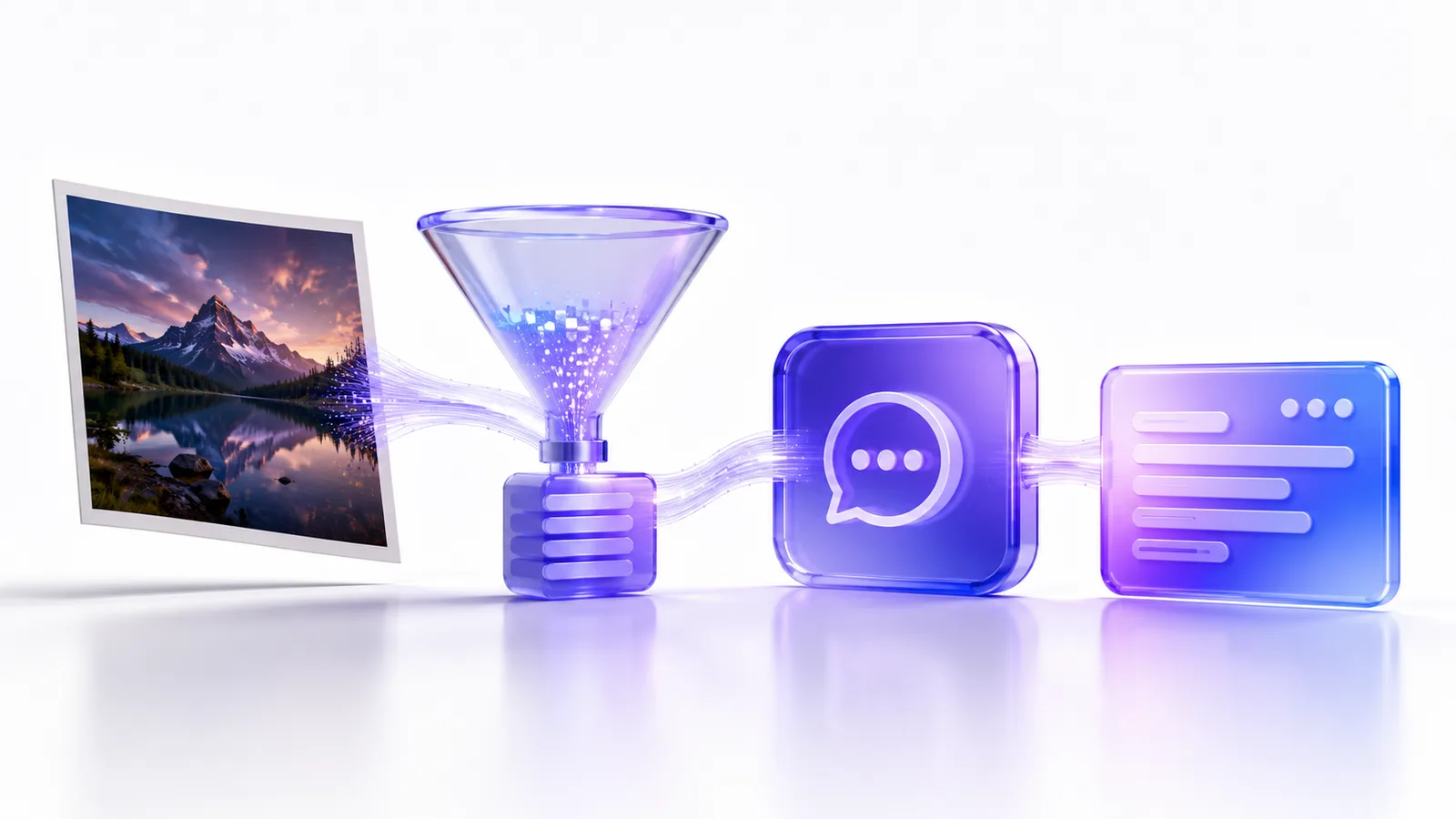
The reason this works is that it separates analysis (best handled by a vision model or extraction tool) from language work (best handled by ChatGPT) and from judgment (yours). Each stage does one thing well, which is what makes the whole system reliable and fast enough to run at volume.
Real Workflow Examples
These are illustrative walk-throughs showing how the reasoning applies — not screenshots or measured case studies.
Example 1 — Ecommerce product descriptions at scale. An ecommerce team needs consistent, SEO-ready descriptions for hundreds of product photos. The workflow: extract a structured prompt from each product image, then pass it to ChatGPT with a fixed instruction — “Using this description, write a 60-word product blurb in our brand voice, emphasizing material and use case.” Because every image enters the same pipeline, all outputs share format and tone. This pairs naturally with a product listing generator for the publishing step.
Example 2 — Design reference briefs. A designer collects mood-board references and needs each translated into a clear creative brief. The workflow: extract a prompt capturing style, palette, and composition, then ask ChatGPT to reformat it as a structured brief with sections for mood, color, and layout. The result is a consistent brief template across every reference, ready to hand to a team or a generator.
Example 3 — Cross-model prompt adaptation. A creator wants to recreate an image's style in a different generator. The workflow: extract the base description, then ask ChatGPT to adapt it for the target system — for instance, converting it into the concise, comma-weighted style Midjourney prefers. Our guide on image to prompt for Midjourney covers that target-specific adaptation in depth.
Example 4 — Competitive creative analysis. A marketing agency reviews competitor ad visuals. The workflow: extract structured descriptions of each, then have ChatGPT compare them along fixed dimensions — color strategy, composition, emotional tone — producing a standardized analysis grid instead of loose impressions.
The common thread: in each case, a standardized extraction upstream is what makes ChatGPT's downstream output consistent and reusable.
Use Cases by Team
- Designers — translate references into briefs; maintain style consistency across a series.
- Ecommerce teams — batch-generate product descriptions and alt text from photos with uniform structure.
- Content creators — turn visual inspiration into reusable prompt libraries for repeatable output.
- Marketing agencies — standardize competitive creative analysis and campaign visual briefs across clients.
- Prompt engineers — build and version prompt templates; systematize extraction as a pipeline step.
- AI enthusiasts — learn the descriptive vocabulary by reading and editing structured extractions.
Prompt Templates (Copy-Paste)
These are original, reusable instruction templates. Paste your extracted description where indicated.
Template 1 — Structured image brief
Analyze the following image description and return a structured brief with these sections: Subject, Setting, Lighting, Composition, Color Palette, Mood, Style. Be specific and concise. Description: [PASTE].
Template 2 — Product blurb from image
Using this product description, write a [WORD COUNT]-word product blurb in a [BRAND VOICE] tone. Emphasize material, use case, and one standout benefit. Description: [PASTE].
Template 3 — Cross-model adaptation
Convert this description into a concise, comma-separated prompt optimized for [TARGET MODEL]. Front-load subject and style; keep it under [N] words. Description: [PASTE].
Template 4 — Variation generator
Based on this description, generate 5 prompt variations that keep the same subject and style but vary the lighting, camera angle, and mood. Description: [PASTE].
Template 5 — Accuracy check
Compare this description to the attached image. List any details in the description that are NOT visible in the image, and any visible details the description missed. Description: [PASTE].
Template 5 is the one people skip and shouldn't — it operationalizes the verification stage.
The REFINE Framework for Better Prompts
Extraction gives you a draft. This framework — call it the R-E-F-I-N-E framework — is how you turn a rough draft into a high-quality, reusable prompt. It's an original structure you can apply to any extracted description.
- R — Remove hallucinated or inaccurate details (verify against source).
- E — Emphasize the elements that matter most for your goal; front-load them.
- F — Format for the destination (brief, tags, comma-weighted prompt, JSON).
- I — Iterate one variable at a time to isolate what each change does.
- N — Name and save the finished prompt to your library.
- E — Evaluate the output against your intent, and refine the template if needed.
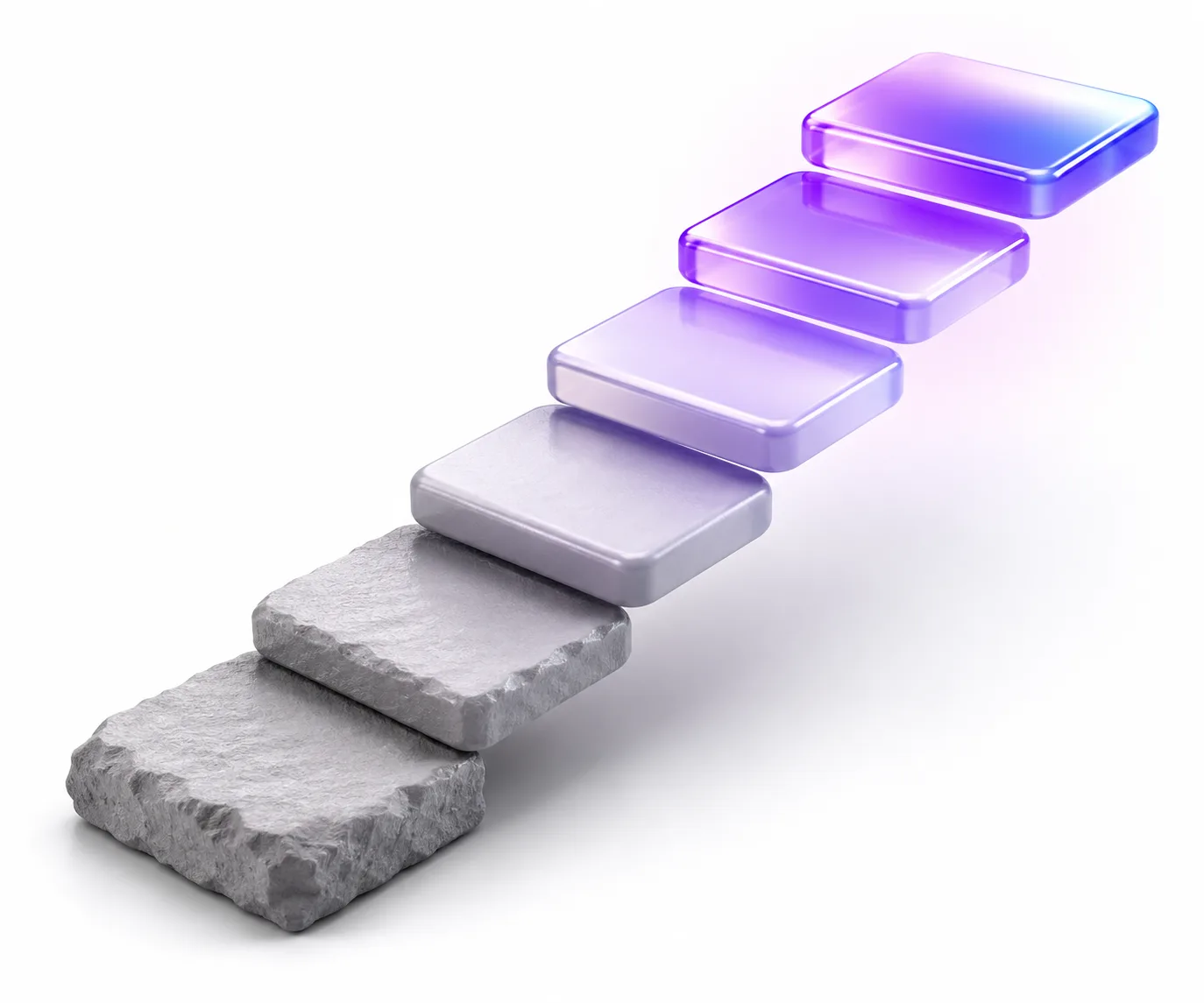
The framework's value is that it's repeatable. Once your templates and your REFINE process are set, processing the hundredth image is as fast and consistent as the first — which is the entire point of a workflow.
Professional Techniques for Better ChatGPT Prompts
- Standardize output as JSON for pipelines. If your extractions feed software, ask ChatGPT to return strict JSON with fixed keys. Predictable structure makes downstream automation trivial.
- Build a template library, not one-off prompts. Version your instruction templates the way you'd version code. Reuse beats reinvention.
- Separate analysis from generation. Use extraction/vision for what's in the image and ChatGPT for what to do with it. Mixing them in one vague prompt degrades both.
- Front-load salient terms. Both extraction and ChatGPT weight earlier content; lead with what matters.
- Keep a “negative” list. Track details tools commonly hallucinate for your image type, and prune them by default.
- Match the extraction style to the destination. Natural language for briefs and Midjourney; tags for SDXL. Don't force one format everywhere.
- Consult the fundamentals. For prompt-craft principles that apply across models, the community Prompt Engineering Guide and OpenAI's prompt guidance are solid references.
Mistakes That Reduce Prompt Quality
- Treating extraction as final. The draft is raw material, not a finished prompt. Always refine and verify.
- Skipping verification. Hallucinated details propagate through your whole workflow if you don't catch them at the source.
- Inconsistent instructions. Different phrasing per image destroys the comparability that makes a workflow valuable. Standardize.
- Overloading a single prompt. Asking ChatGPT to analyze, rewrite, and adapt all at once produces muddled output. Separate the stages.
- No storage system. Prompts typed and forgotten can't compound into a library. Save the good ones.
- Wrong format for the destination. A brief-style description forced into a tag-based generator underperforms. Match format to target.
The meta-mistake behind all of these: optimizing a single output instead of building a system. The payoff of image-to-prompt work isn't one great description — it's a repeatable process that produces great descriptions reliably.
FAQ
What is image to prompt for ChatGPT?
It's the practice of converting an image into a structured, reusable text prompt — either by directing ChatGPT's vision model or using a dedicated extraction tool first — so you can analyze or recreate visuals consistently and at scale.
Can ChatGPT generate a prompt from an image?
Yes. Upload an image and instruct it to describe the picture in a specific structured format. The quality depends heavily on how structured your instruction is.
Should I use ChatGPT directly or a dedicated tool?
Use ChatGPT directly for nuanced, one-off analysis where you want full control. Use a dedicated tool for high volume and consistency, then refine in ChatGPT. The decision tree above maps this out.
Does ChatGPT's vision hallucinate details?
Sometimes, yes — like all vision-language models, it can infer details not present in the image. This is why a verification step is essential in any serious workflow.
How do I make outputs consistent across many images?
Standardize your instruction template and your target output format, and run every image through the same pipeline. Consistency comes from a fixed process, not from the model.
Can I use this for ecommerce at scale?
Yes — it's one of the strongest use cases. Extract structured descriptions, pass them to ChatGPT with a fixed brand-voice instruction, and generate uniform product copy.
What's the difference between this and reverse prompt engineering?
They overlap. Reverse prompt engineering specifically means deriving the prompt that could recreate an image; image-to-prompt for ChatGPT is broader, covering analysis, description, and workflow tasks as well as recreation.
Do I need to know prompt engineering to start?
No. Reading and editing structured extractions is itself a fast way to learn the vocabulary. The templates here give you a starting point without prior expertise.
Will the same instruction always give the same result?
Not identically — language models vary output. But a consistent template produces consistent structure, which is what matters for a workflow.
Can this feed automated pipelines?
Yes. Ask ChatGPT to return strict JSON with fixed keys, and the structured output can drive downstream software directly.
Key Takeaways
Image to prompt for ChatGPT isn't really about any single image — it's about building a system that turns visual inputs into consistent, reusable outputs without burning your time on every one. The workflow separates analysis, language work, and judgment into distinct stages so each is fast and reliable, and the templates and REFINE framework make the hundredth image as effortless as the first.
Which extraction method fits depends on your work. For high-volume, consistency-driven jobs — especially ecommerce and product imagery integrated with downstream tasks like product listings and virtual try-on — a dedicated tool like the free Avriro Image to Prompt tool gives you clean, standardized drafts to refine in ChatGPT. For nuanced, exploratory analysis, ChatGPT's vision on its own may be all you need. If you're still choosing between extraction tools generally, our comparison of the best image to prompt generators weighs the options honestly.
Build the system once, and every image after pays it back.
